

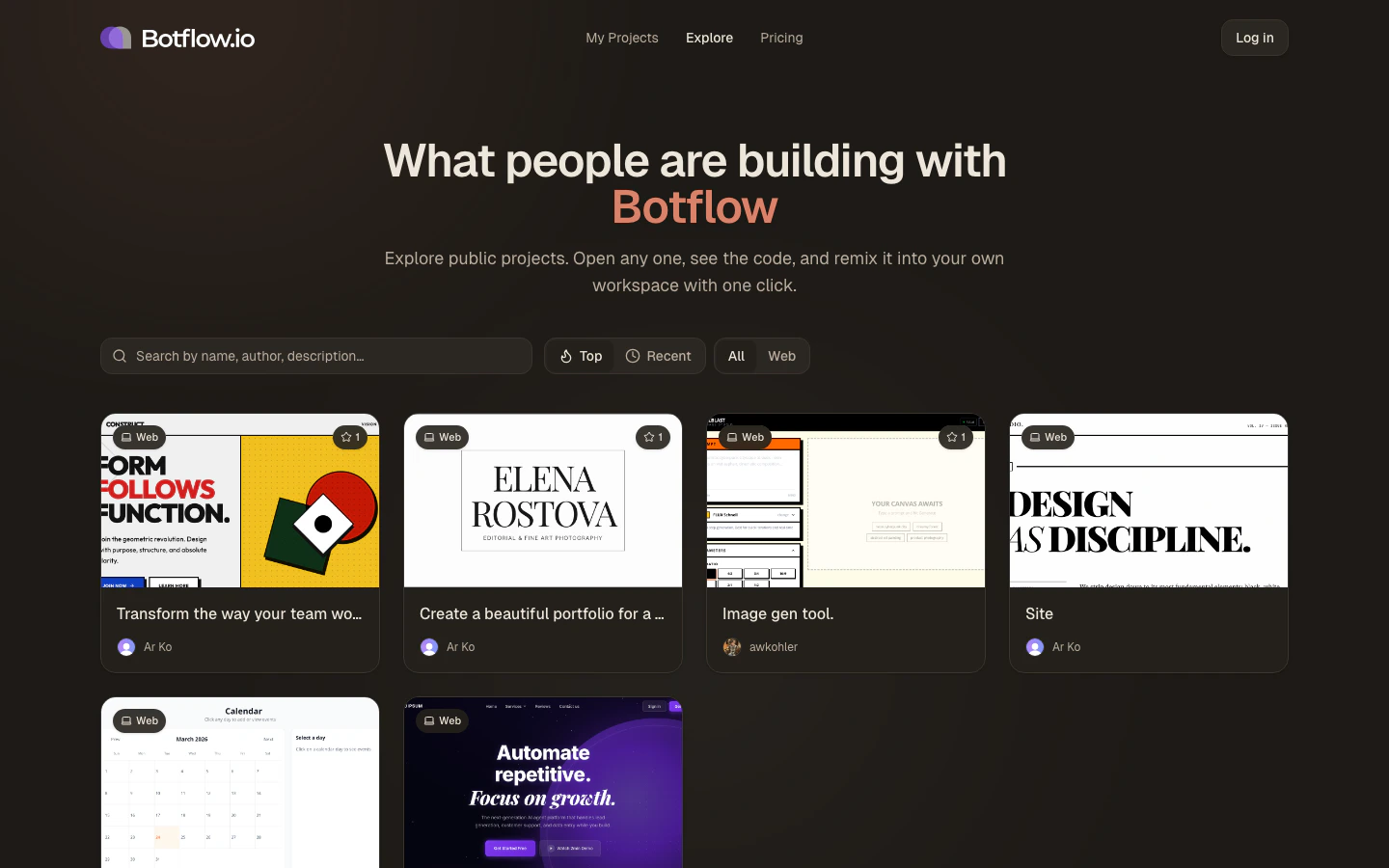
Browsing projects
Projects are displayed in a card grid. Each card shows:- A thumbnail — an auto-generated screenshot of the running app
- The project name and author
- A star count reflecting how many people have starred it
- The platform type (e.g. Web)
Sorting
Use the sort toggle in the top-right of the controls bar to switch between:- Top — ordered by star count, highest first
- Recent — ordered by last-updated time, newest first
Filtering by platform
The platform filter lets you narrow the grid to a specific template type:- All — show every public project
- Web — show only Vite + Convex web projects
Searching
Type in the search box to filter the visible projects by name, description, or author name. The search runs locally against the current page of results — switch to Recent or All first if you’re looking for something specific that might not be in the top results.Opening a project
Click any card to open the project’s public page. From there you can:- Preview the live app running in its sandbox
- Read the project description the author wrote
- Open in workspace to fork the project into your own account
You need to be signed in to fork a project. If you’re not signed in, clicking Open in workspace will prompt you to log in or create a free account.
Making your project public
To have your own project appear on the Explore page:- Go to your Projects page.
- Right-click (or open the context menu on) the project card.
- Click Make public.